
LOE
[isaacLab tutorial] Assets을 import하고 Scene을 만든는 법 본문
출처
https://www.youtube.com/watch?v=3TjkGyThm9c
https://isaac-sim.github.io/IsaacLab/main/source/overview/showroom.html
Showroom Demos — Isaac Lab Documentation
isaac-sim.github.io
사전 준비
- Isaac sim 5.0 installation & Isaac Lab 2.2.0 Installation
https://isaac-sim.github.io/IsaacLab/v2.2.0/source/setup/installation/binaries_installation.html
Installation using Isaac Sim Binaries — Isaac Lab Documentation
On Linux systems, Isaac Sim directory will be named ${HOME}/isaacsim. Note For details on driver requirements, please see the Technical Requirements guide! From Isaac Sim 4.5 release, Isaac Sim binaries can be downloaded directly as a zip file. The below s
isaac-sim.github.io
Input and Configuration
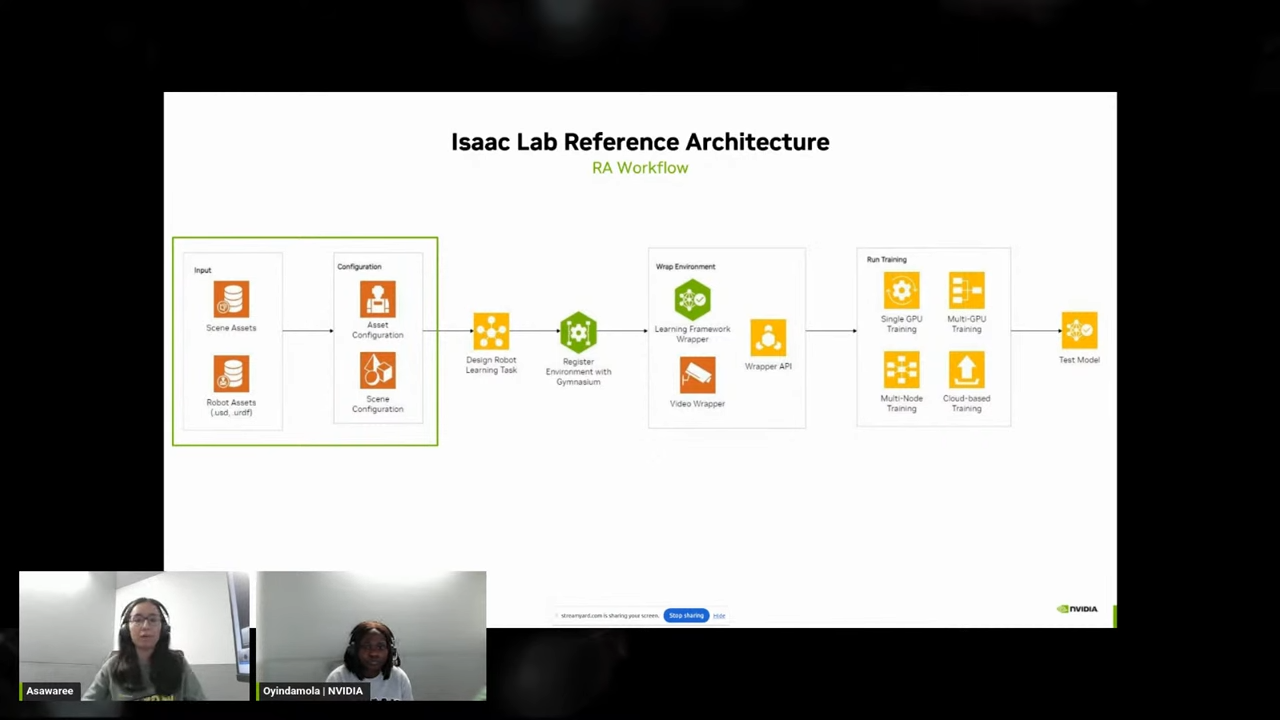
Input

- 오늘 할 것은 isaac lab에서 아주 간단한 Scene을 import 해보고 lighting을 추가해 보겠습니다.
- 휴머노이드나 사족보행 로봇처럼 복잡한 로봇을 다룰 수도 있지만 오늘은 cart pole이라는 매우 간단한 로봇을 import해볼 것입니다.
Configuration
- python file을 통해 우리가 import하는 scene이나 로봇의 모터나 actuator와 같은 디테일을 적용시킬 수 있게 됩니다.
- physical robot을 simulation으로 불러올 수 있게 하는 가장 중요한 설정입니다.


Launch Show room Demo

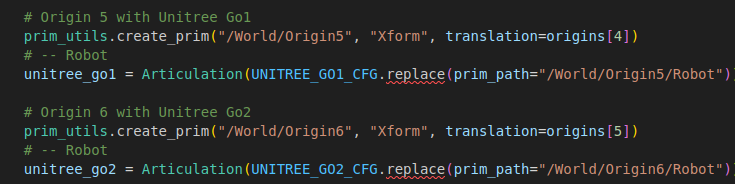
./isaaclab.sh -p scripts/demos/quadrupeds.pycfg = sim_utils.GroundPlaneCfg()
cfg.func("/World/defaultGroundPlane", cfg)
# Lights
cfg = sim_utils.DomeLightCfg(intensity=2000.0, color=(0.75, 0.75, 0.75))
cfg.func("/World/Light", cfg)- isaaclab을 설치한 후 IssacLab 디렉토리에서 해당 스크립트를 실행시키면 위와 같이 다양한 회사의 로봇이 주기적으로 나타나는 것을 확인할 수 있게 됩니다.
- 스크립트의 대략적인 코드 흐름에 대해서 설명하겠습니다.
- 미리 준비되어있는 robot들의 config파일을 가져와 로봇을 불러올 수 있게 됩니다. (참고로 isaaclab.sh 스크립트가 isaacsim내부의 python 3.11로 파이썬을 load하여 omniverse환경을 사용할 수 있게 되는 것입니다.)
- world와 groundplane을 불러온 후 light를 추가합니다.
- 이후 robot의 joint target pose에 randam한 노이즈를 추가하여 로봇이 달그락 거리도록 조정합니다. (이 noise값을 늘리면 로봇이 더욱 크게 떨리는 것을 확인할 수 있게 됩니다.)
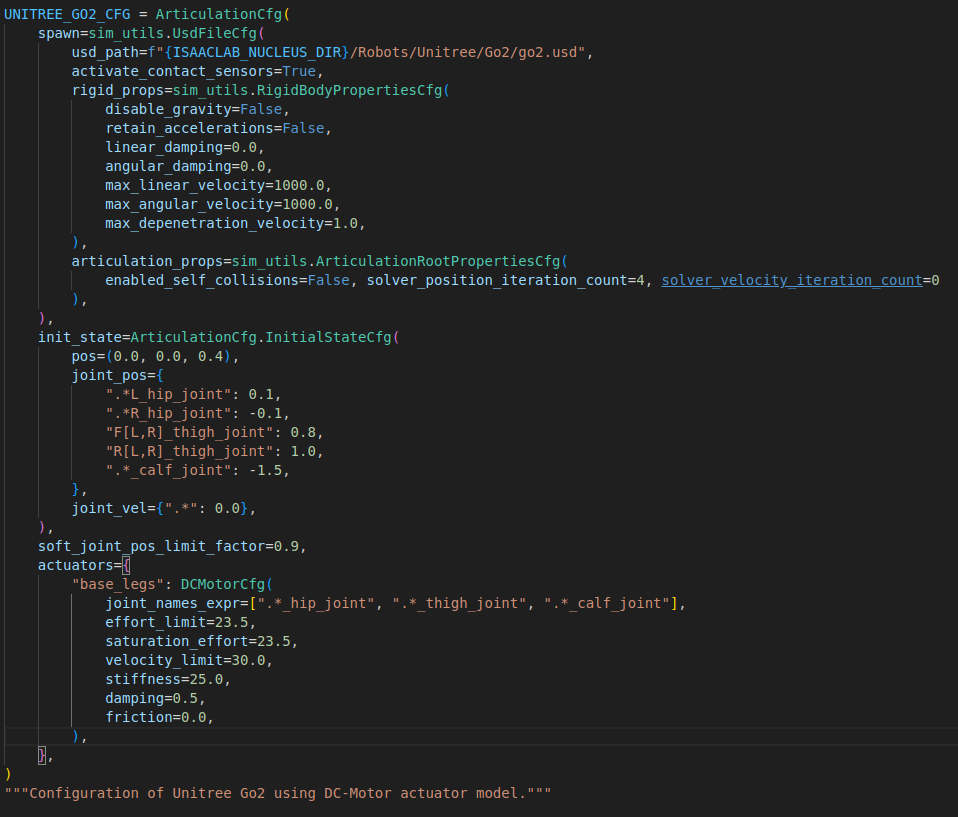
예를들어서 제가 관심이 있는 unitree go2 로봇의 cfg 설정을 자세히 보면 아래의 그림처럼 spawn, init_state, actuator로 나누어져 있습니다.
- Spawn : 시뮬레이션 세계에 로봇 객체를 실제로 생성(Spawn)하는 방법과 그 객체의 물리적 속성을 정의합니다.
- init_state : 로봇이 시뮬레이션이 시작될때 가지게 되는 초기상태를 정의합니다. joint의 pos와 velocity를 정의해줍니다.
- actuator : joint의 이름과 각 joint의 effort_limit, velocity_limit, stiffness, damping등을 설정합니다.
'isaac sim & lab' 카테고리의 다른 글
| [Unitree go2] Part 3. 강화학습으로 go2 걷게하기 (0) | 2025.12.22 |
|---|---|
| [Unitree go2] Part 2. isaaclab 환경 구성하기 (0) | 2025.12.17 |
| [Unitree go2] Part 1. URDF import (0) | 2025.12.04 |
| [Isaac sim Tutorial] Part 7. H1 휴머노이드 policy 제어 (0) | 2025.12.03 |
| [Isaac sim Tutorial] Part 6. ROS2 Joint Control (0) | 2025.12.02 |


