
LOE
[Isaac sim Tutorial] Part 4. TF trees and Odometry 본문
출처
https://docs.isaacsim.omniverse.nvidia.com/5.0.0/ros2_tutorials/tutorial_ros2_tf.html
ROS2 Transform Trees and Odometry — Isaac Sim Documentation
To setup odometry for a robot, publish the odometry ROS message as well as its corresponding transforms. Note The ROS2 Publish Odometry node now publishes full 3D velocity information. Both linear velocity and angular velocity are published with all three
docs.isaacsim.omniverse.nvidia.com
TF publisher 더하기
이전 회차에서 추가한 카메라 두대가 이미 있다고 가정하고 omni-graph로 글로벌 world상에서 카메라의 TF를 추가해보겠습니다.
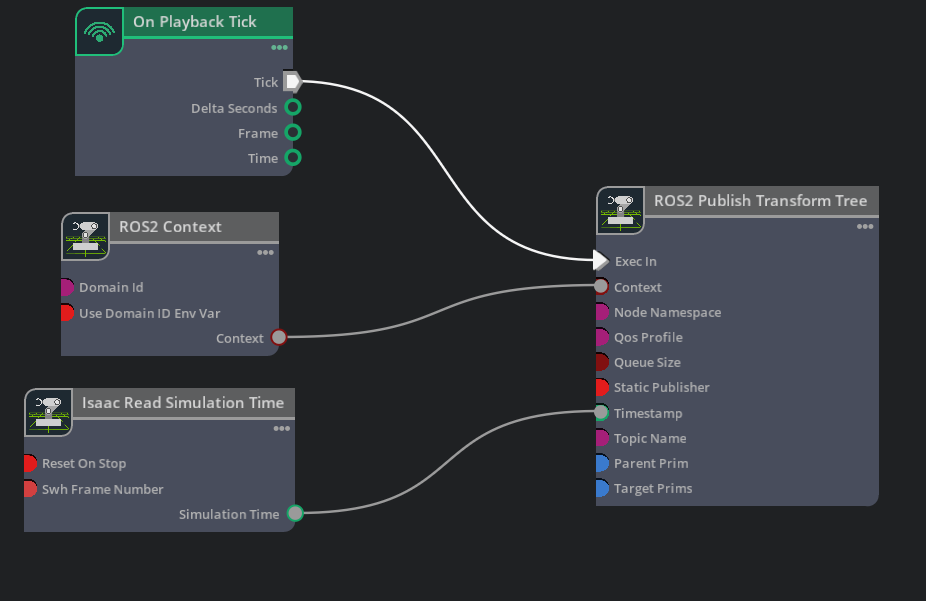
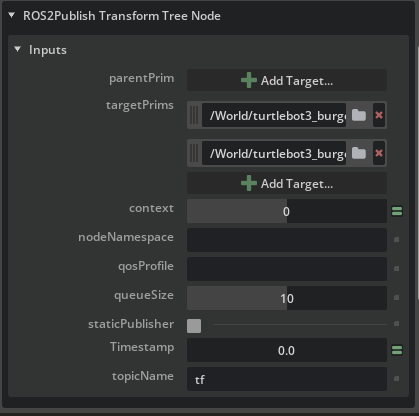
- ROS2 Publish Transform Tree 노드를 Ros2 contex와 연결하고 시뮬레이션의 타임스템프를 tf가 가지도록 해줍니다. 이후 target으로 이전에 만든 카메라 두대의 prin을 연결하여 카메라의 tf를 발행합니다.
- play 버튼을 눌렀을때 외부에서 tf를 확인할 수 있게 됩니다.

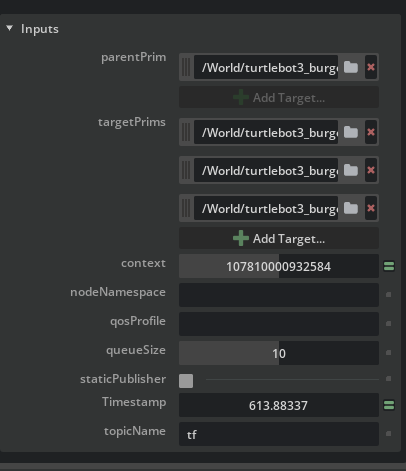
- 입력으로 카메라 두대와 turtlebot의 관절구조 최상위인 articulation root를 포함한 turtlebot3_burger를 넣어줬습니다. 이후 parentsPrim으로 base_footprint를 넣어주어 카메라와 좌우 바퀴가 tf관계를 가지게 되었습니다.
Odometry 세팅하기
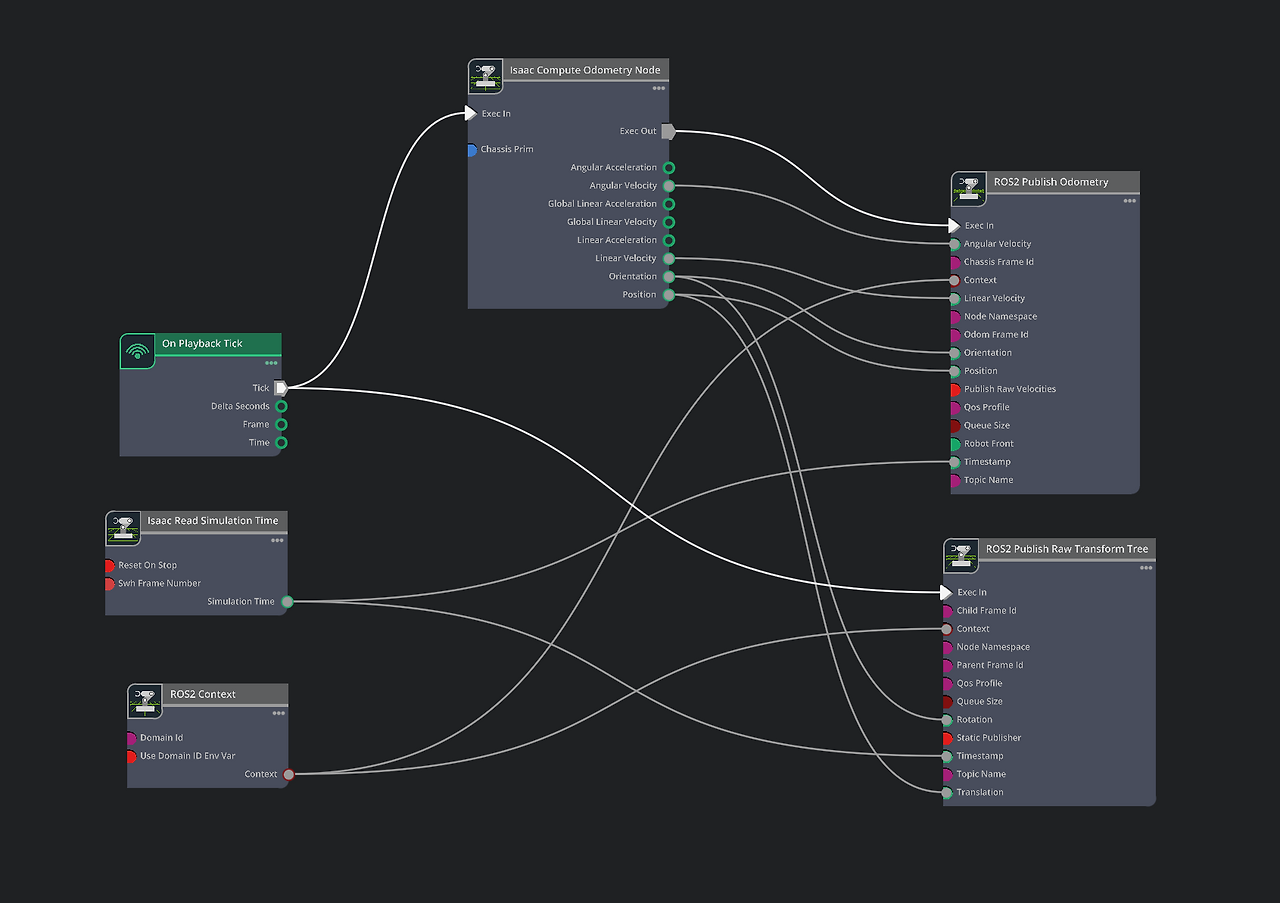

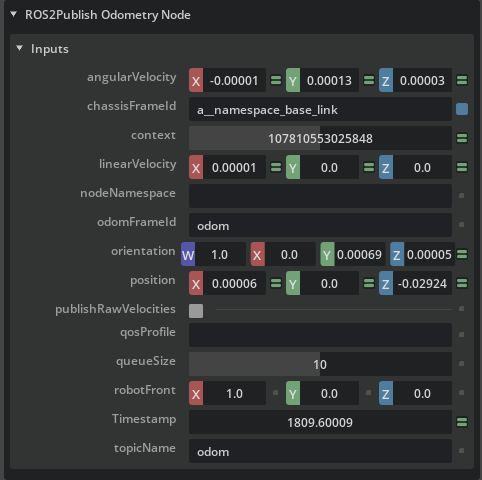
- 위의 그래프처럼 odom과 baselink의 관계를 설정해주고 isaac compute odometry node의 chassis target으로 turtle burger를 선택해줍니다. 또한 publish odometry, publish raw transformation tree노드는 아래처럼 baselink와 odom사이의 관계를 나타내주는 역할과 baselink와 odom의 tf를 발행해주는 역할을 합니다.
- publish raw transformation tree는 scene 내에 존재하는 것이 아니라 odom처럼 의미론적 tf를 설정해줄 수 있게합니다.


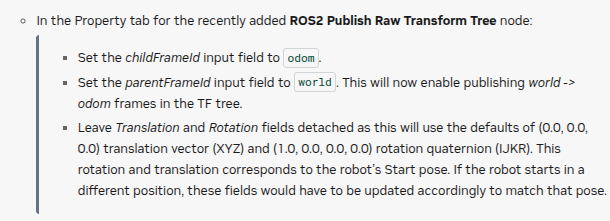
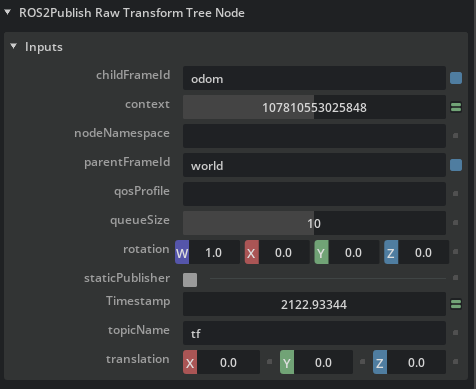
- publish transformation tree를 하나 추가해주고 baselink를 로봇의 중심점이라고 생각할때 이를 parent prim으로 설정합니다. 이후 라이다, 카메라, imu, 양쪽 바퀴간의 tf를 target prim으로 설정해줍니다.
- publish raw transformation tree를 하나 추가해줍니다. world와 odom의 orientation과 translation을 각각 (1,0,0,0), (0,0,0)으로 설정하여 로봇이 처음 시작하는 위치가 world의 원점이 되도록 해줍니다.
최종 tf tree와 Rviz2에서 관찰한 TF

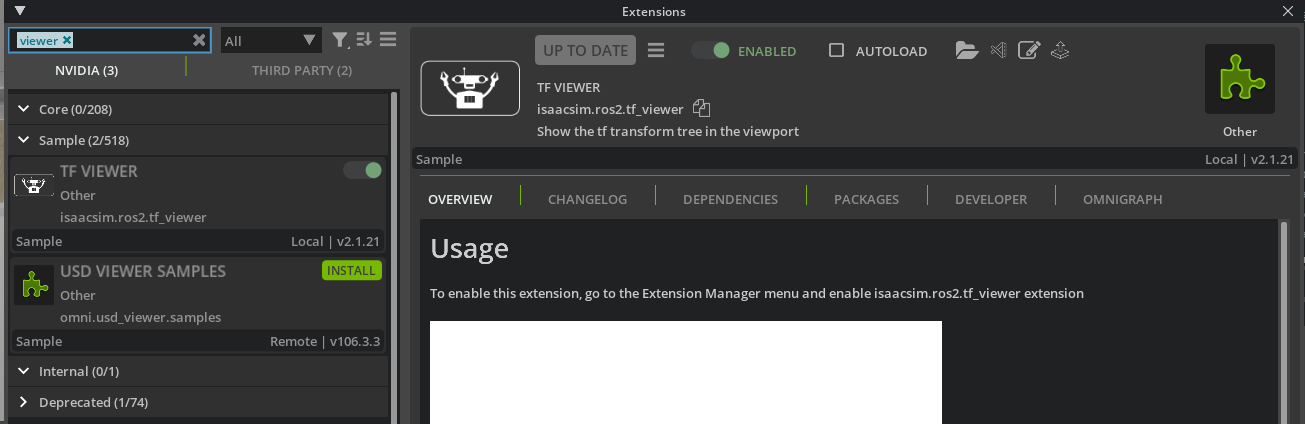
isaac sim 에서 tf_viewer사용하기
'isaac sim & lab' 카테고리의 다른 글
| [Isaac sim Tutorial] Part 6. ROS2 Joint Control (0) | 2025.12.02 |
|---|---|
| [Isaac sim Tutorial] Part 5. ROS2 Publish rate, Qos 조정 (0) | 2025.12.01 |
| [Isaac sim Tutorial] Part 3. RTX Lidar sensors (0) | 2025.11.27 |
| [Isaac sim Tutorial] Part 2. Ros2 Cameras (0) | 2025.11.27 |
| [Isaac sim Tutorial] Part 1. Turtle bot을 통한 ros 연결 (0) | 2025.11.26 |


